> ## Documentation Index
> Fetch the complete documentation index at: https://dub.co/llms.txt
> Use this file to discover all available pages before exploring further.
# Messaging your partners
> Learn how to use the messaging center to communicate with your partners in real time, with email notifications & read statuses built in.
export const VideoPlayer = ({src, aspectRatio = "16/9", thumbnail, title, youtubeHref, className = ""}) => {
const [playing, setPlaying] = useState(false);
if (playing) {
return
;
}
return ;
};
This feature is only available on [Advanced plans and
above](https://dub.co/pricing/partners).
On Dub, you can use the Messaging Center to communicate directly with the partners in your program. Partners get notified via email and can respond to your messages in real-time.
## Messages location
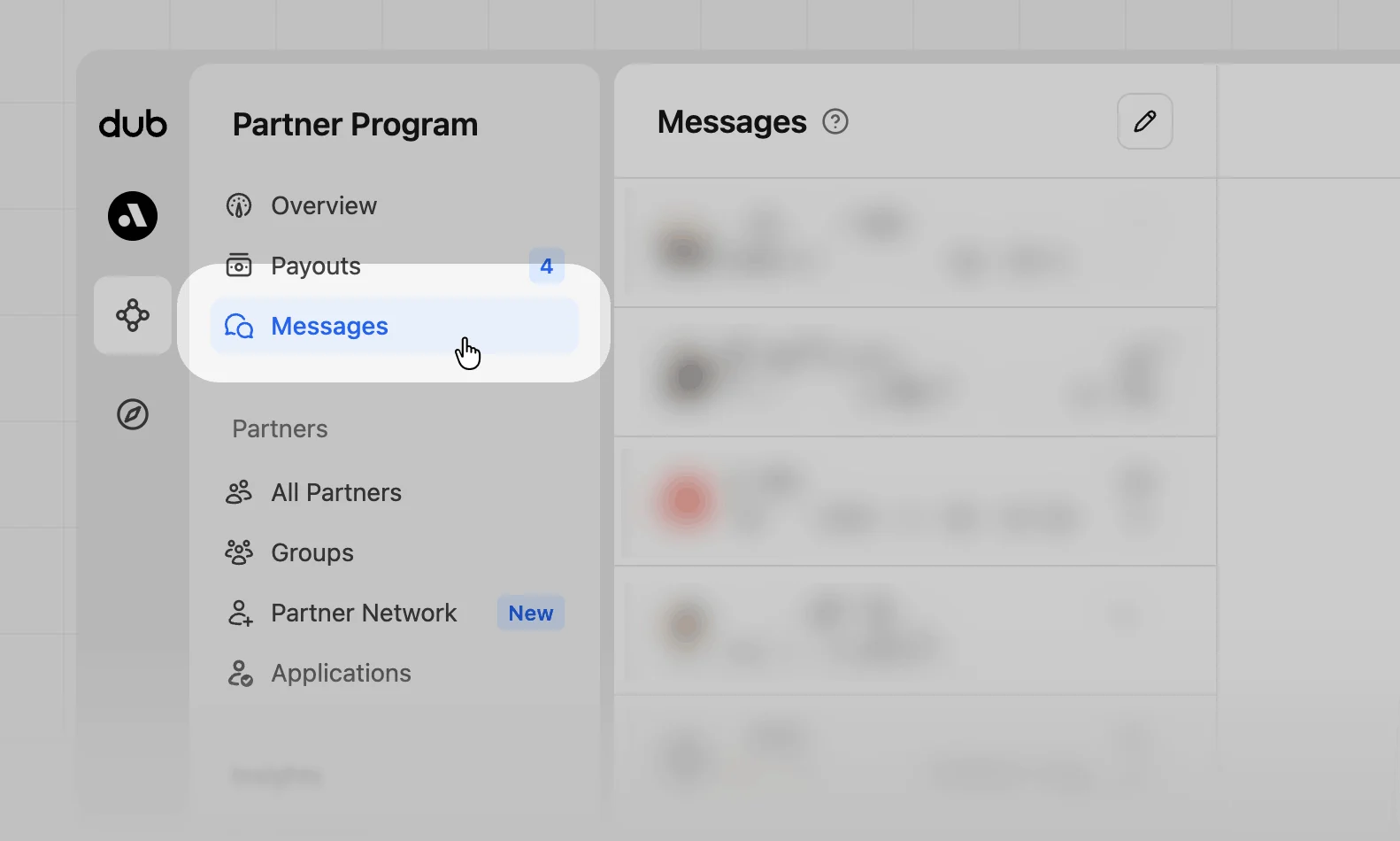
In your program navigation, click **Messages** to see your inbox and compose new messages.
## Messages overview
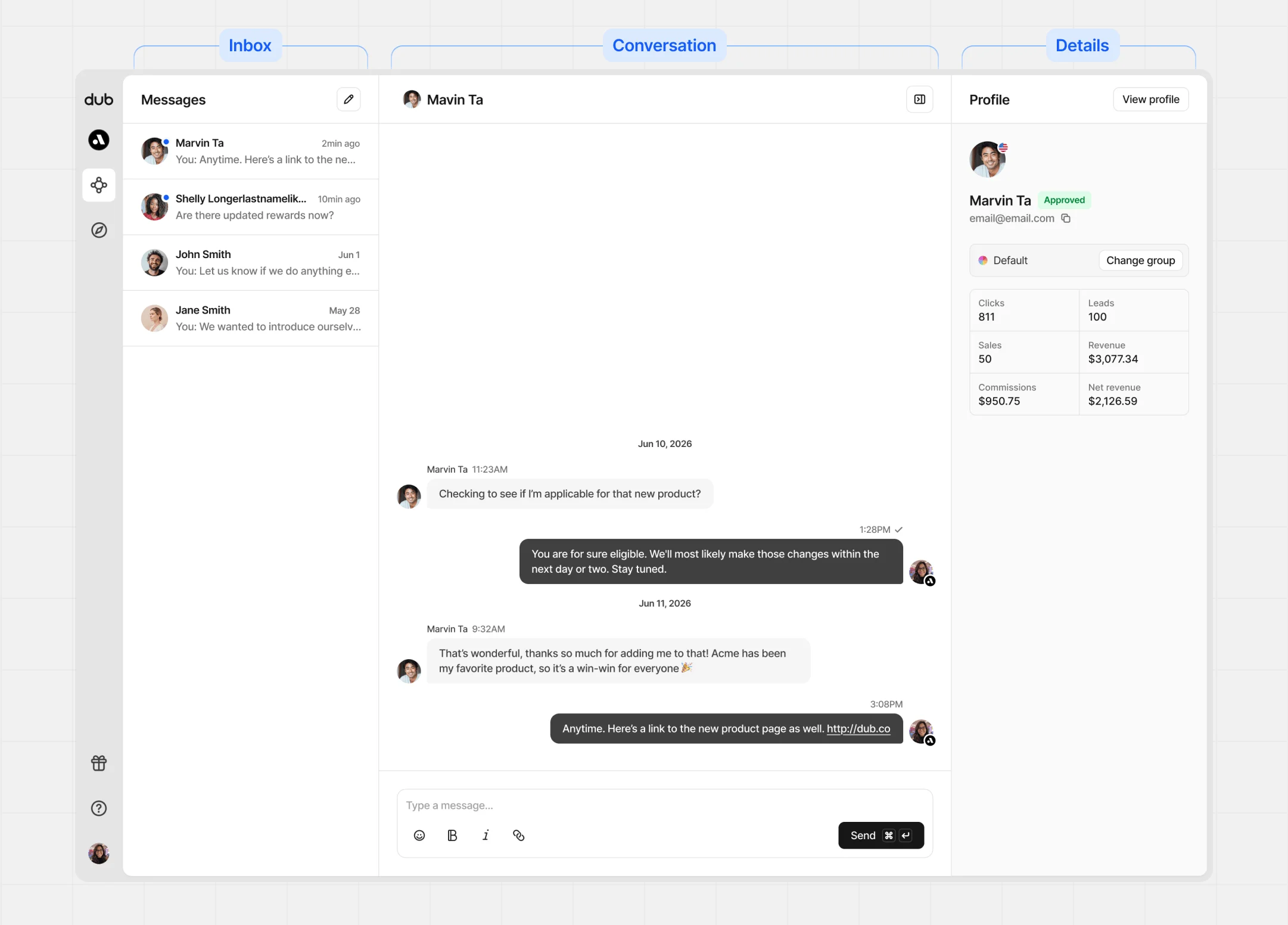
The messaging center has three panels:
| Panel | Content |
| ------------ | ----------------------------------------------- |
| Inbox | All your conversations in one place. |
| Conversation | The full thread with your selected partner. |
| Details | Key info and performance stats for the partner. |
### Inbox panel
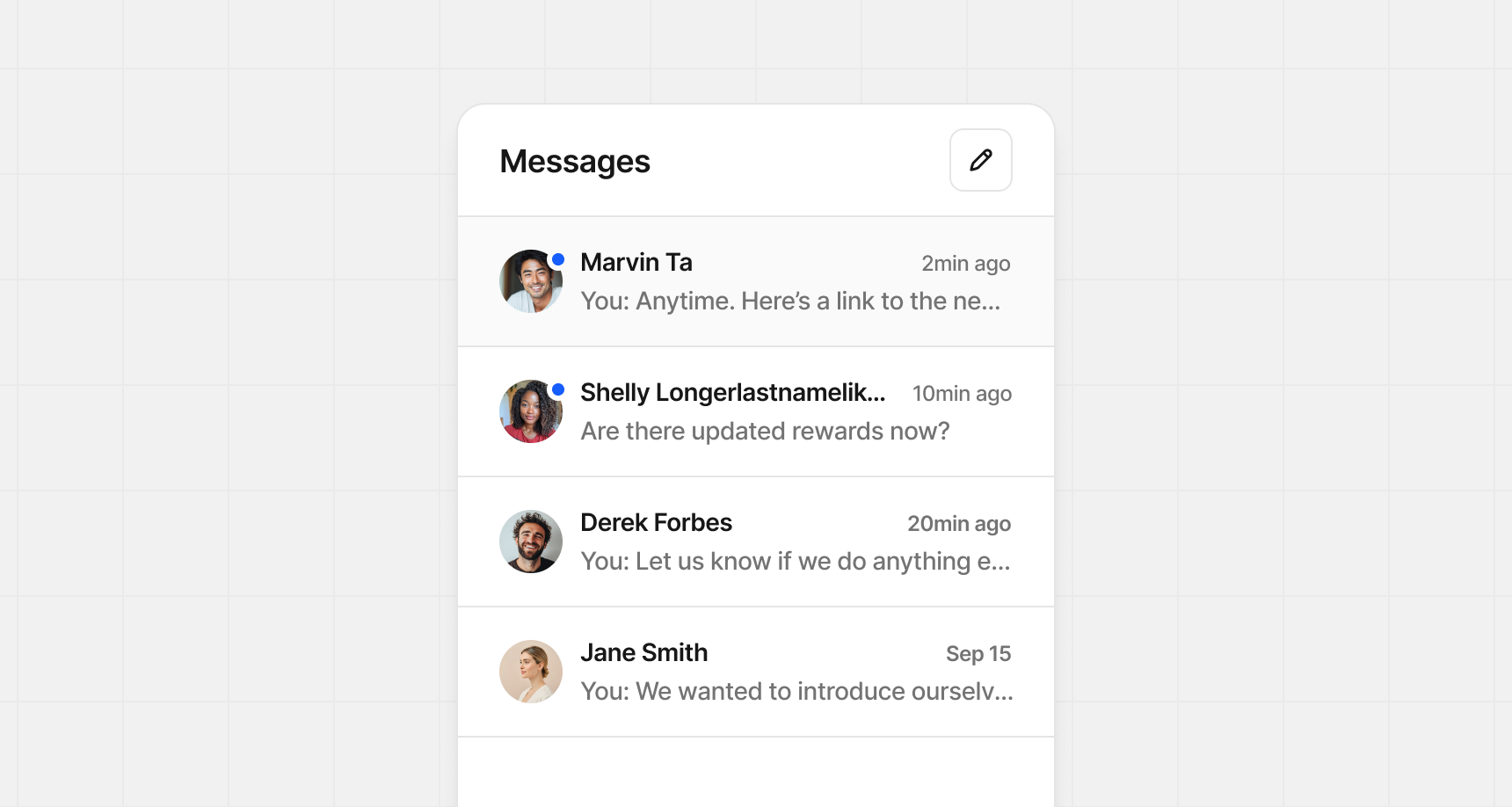
Your Inbox lists every conversation with your partners. Select one to pick up where you left off, or click the **Pencil** button in the top right to compose something new.
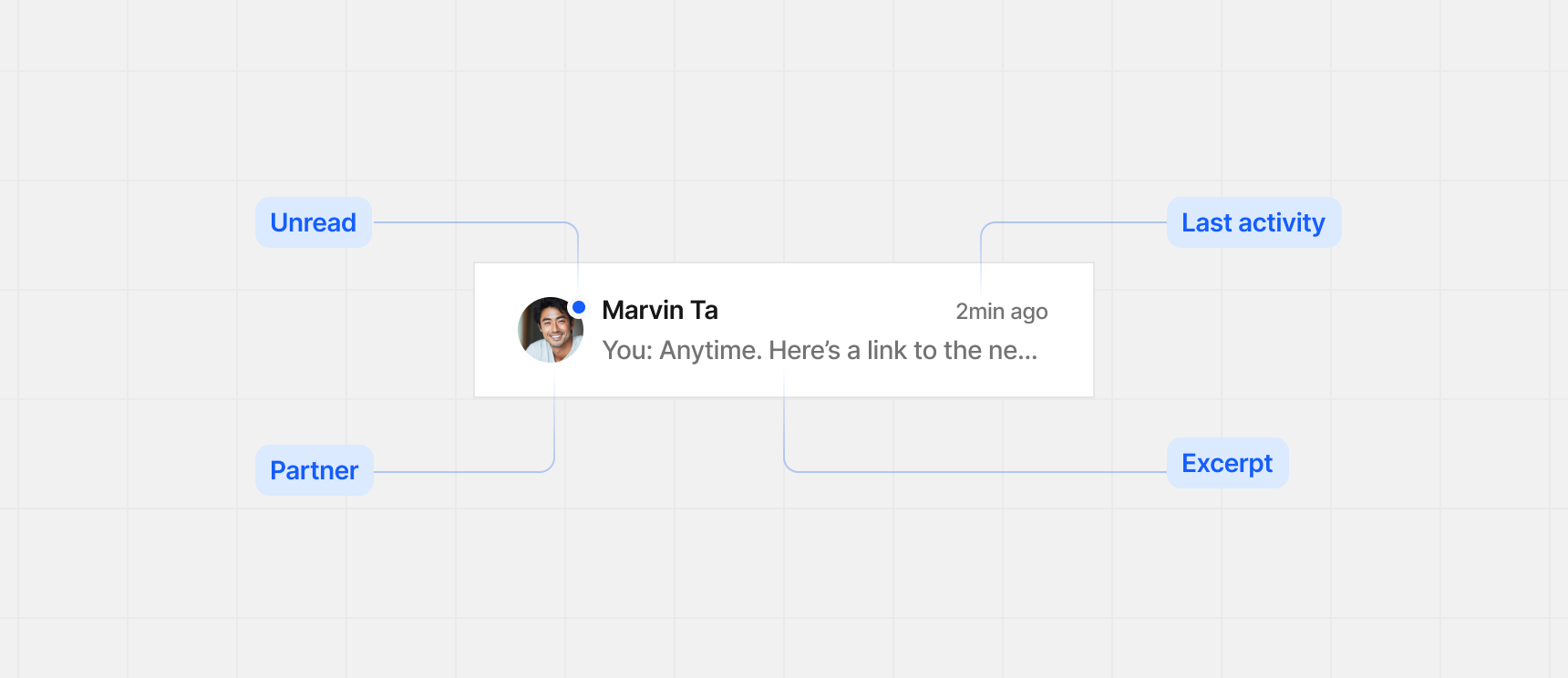
Each conversation row shows:
* **Unread indicator** – shows if you've read the message
* **Partner** – partner's name and profile image
* **Last activity** – most recent message from you or the partner
* **Excerpt** – short preview of the latest message
### Conversation panel
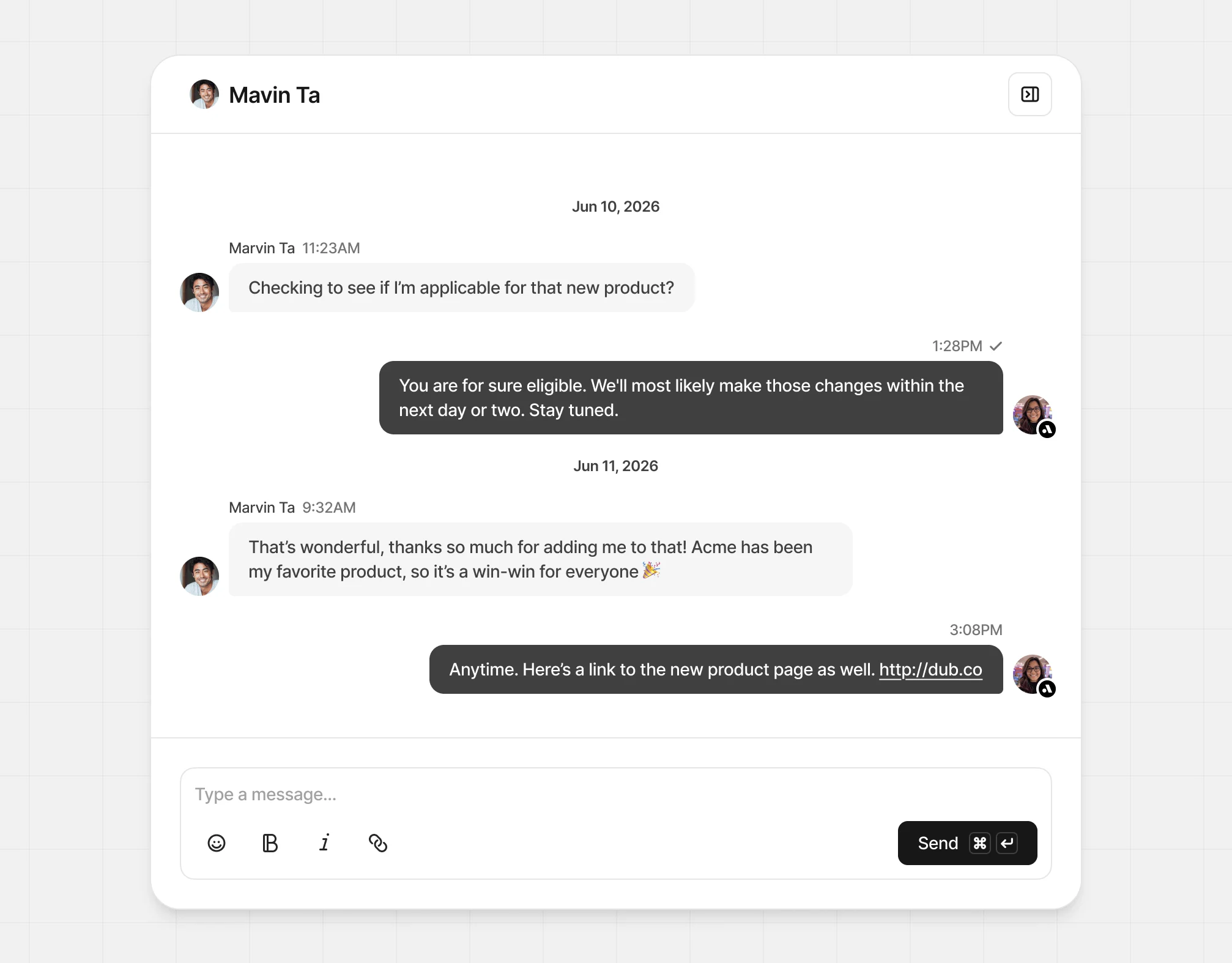
In the Conversation panel, you’ll see the full thread with your partner. Workspace members can reply too, with their profile images shown beside each message.
### Message attachments
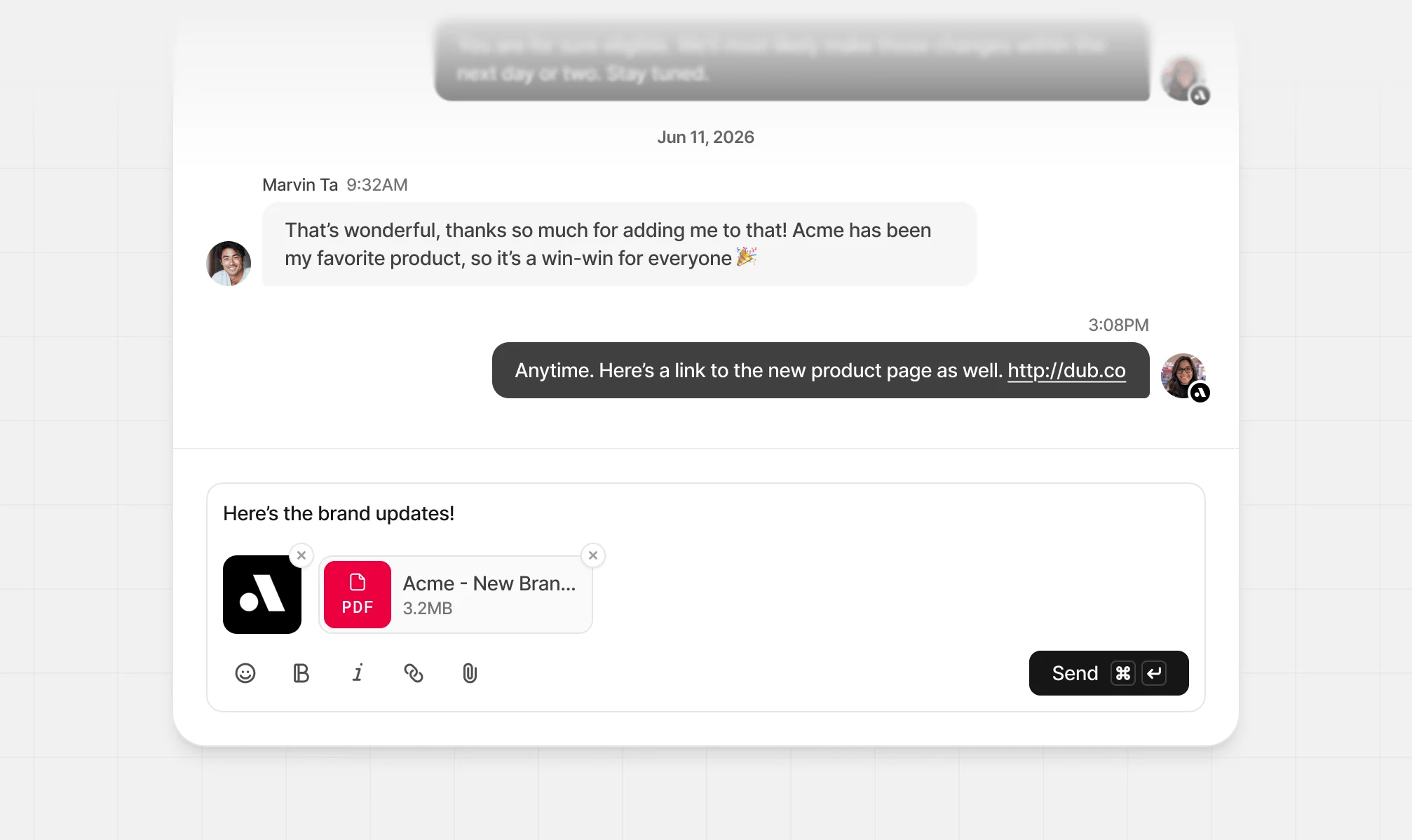
Messages can also include file attachments. This is helpful for sharing things like contracts, guidelines, or promotional materials.
To add attachments, click the paper clip button in the message composer or drag
and drop files into the message area.
Supported attachment types are `PNG`, `JPG/JPEG`, `WEBP`, and `PDF` files. Each attachment can be up to 10 MB, and you can send up to 5 attachments per message.
### Message status
Each message sent has a check mark next to the send time:
* **Single check mark** – delivered
* **Double check marks** – delivered and read
(either in email or in the app)
### Details panel
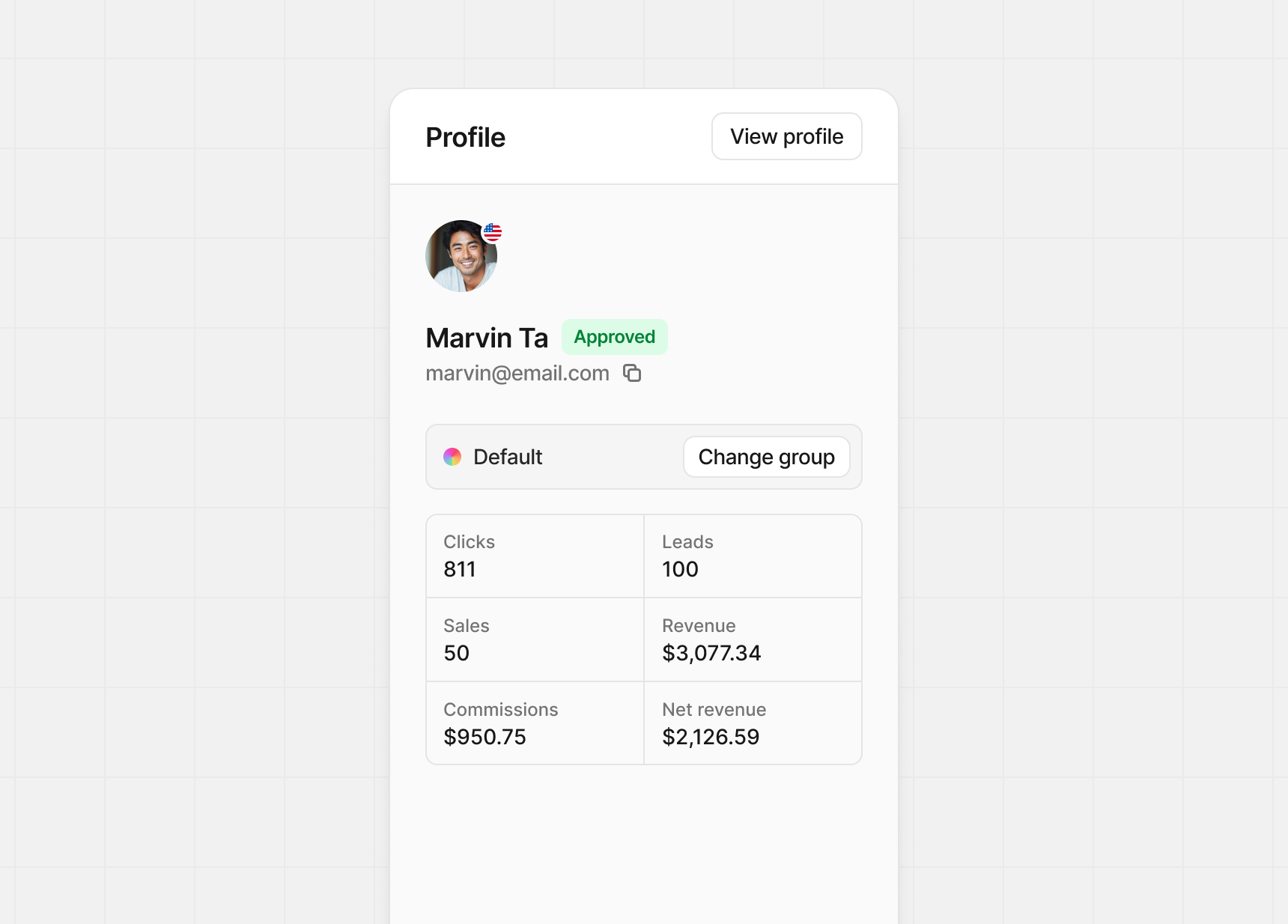
The details panel is collapsible and shows partner information and performance stats. You can also change their program group here.
## Disabling messaging
If you prefer to handle support outside Dub, you can disable partner messaging.
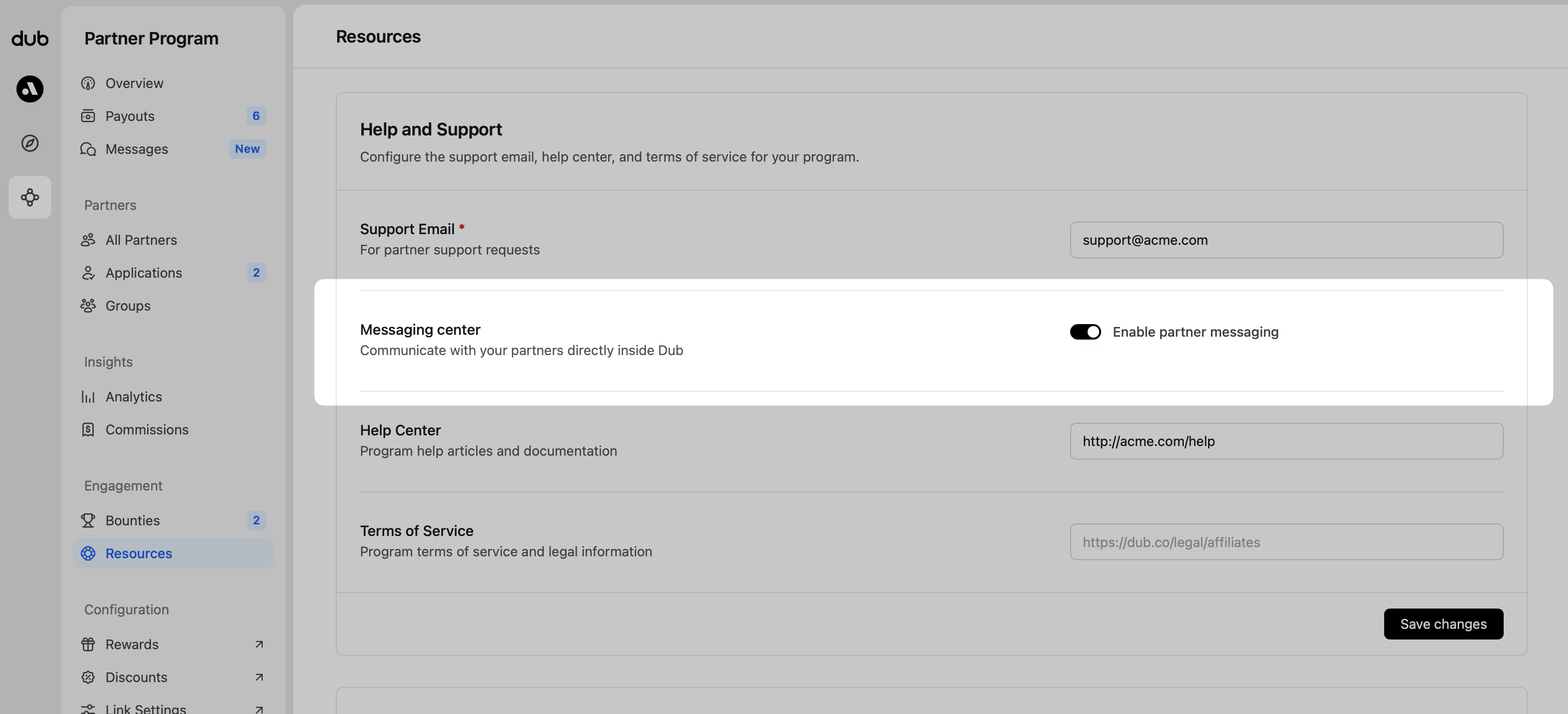
To disable messaging, head to your program **Resources** and in the **Help and Support** section, click the switch to off to disable partner messaging.
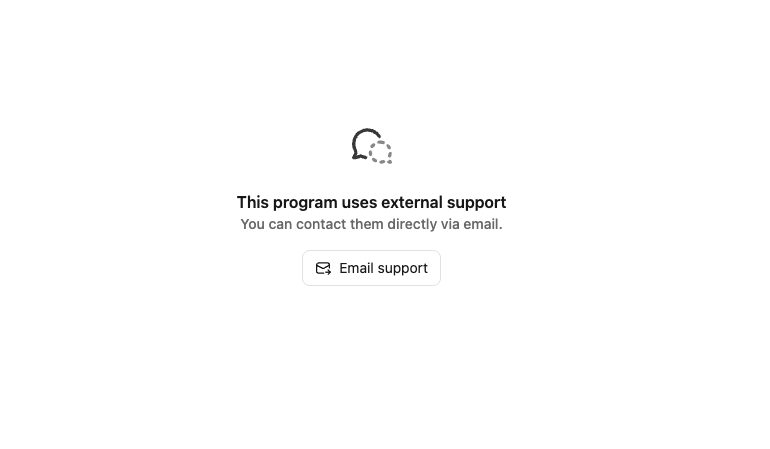
When messaging is disabled, partners who try to message you will see your support email address instead:
 ## Messages overview
The messaging center has three panels:
## Messages overview
The messaging center has three panels:
 | Panel | Content |
| ------------ | ----------------------------------------------- |
| Inbox | All your conversations in one place. |
| Conversation | The full thread with your selected partner. |
| Details | Key info and performance stats for the partner. |
### Inbox panel
Your Inbox lists every conversation with your partners. Select one to pick up where you left off, or click the **Pencil** button in the top right to compose something new.
| Panel | Content |
| ------------ | ----------------------------------------------- |
| Inbox | All your conversations in one place. |
| Conversation | The full thread with your selected partner. |
| Details | Key info and performance stats for the partner. |
### Inbox panel
Your Inbox lists every conversation with your partners. Select one to pick up where you left off, or click the **Pencil** button in the top right to compose something new.
 Each conversation row shows:
* **Unread indicator** – shows if you've read the message
* **Partner** – partner's name and profile image
* **Last activity** – most recent message from you or the partner
* **Excerpt** – short preview of the latest message
Each conversation row shows:
* **Unread indicator** – shows if you've read the message
* **Partner** – partner's name and profile image
* **Last activity** – most recent message from you or the partner
* **Excerpt** – short preview of the latest message
 ### Conversation panel
In the Conversation panel, you’ll see the full thread with your partner. Workspace members can reply too, with their profile images shown beside each message.
### Conversation panel
In the Conversation panel, you’ll see the full thread with your partner. Workspace members can reply too, with their profile images shown beside each message.
 ### Message attachments
Messages can also include file attachments. This is helpful for sharing things like contracts, guidelines, or promotional materials.
To add attachments, click the paper clip button in the message composer or drag
and drop files into the message area.
### Message attachments
Messages can also include file attachments. This is helpful for sharing things like contracts, guidelines, or promotional materials.
To add attachments, click the paper clip button in the message composer or drag
and drop files into the message area.
 Supported attachment types are `PNG`, `JPG/JPEG`, `WEBP`, and `PDF` files. Each attachment can be up to 10 MB, and you can send up to 5 attachments per message.
 ### Message status
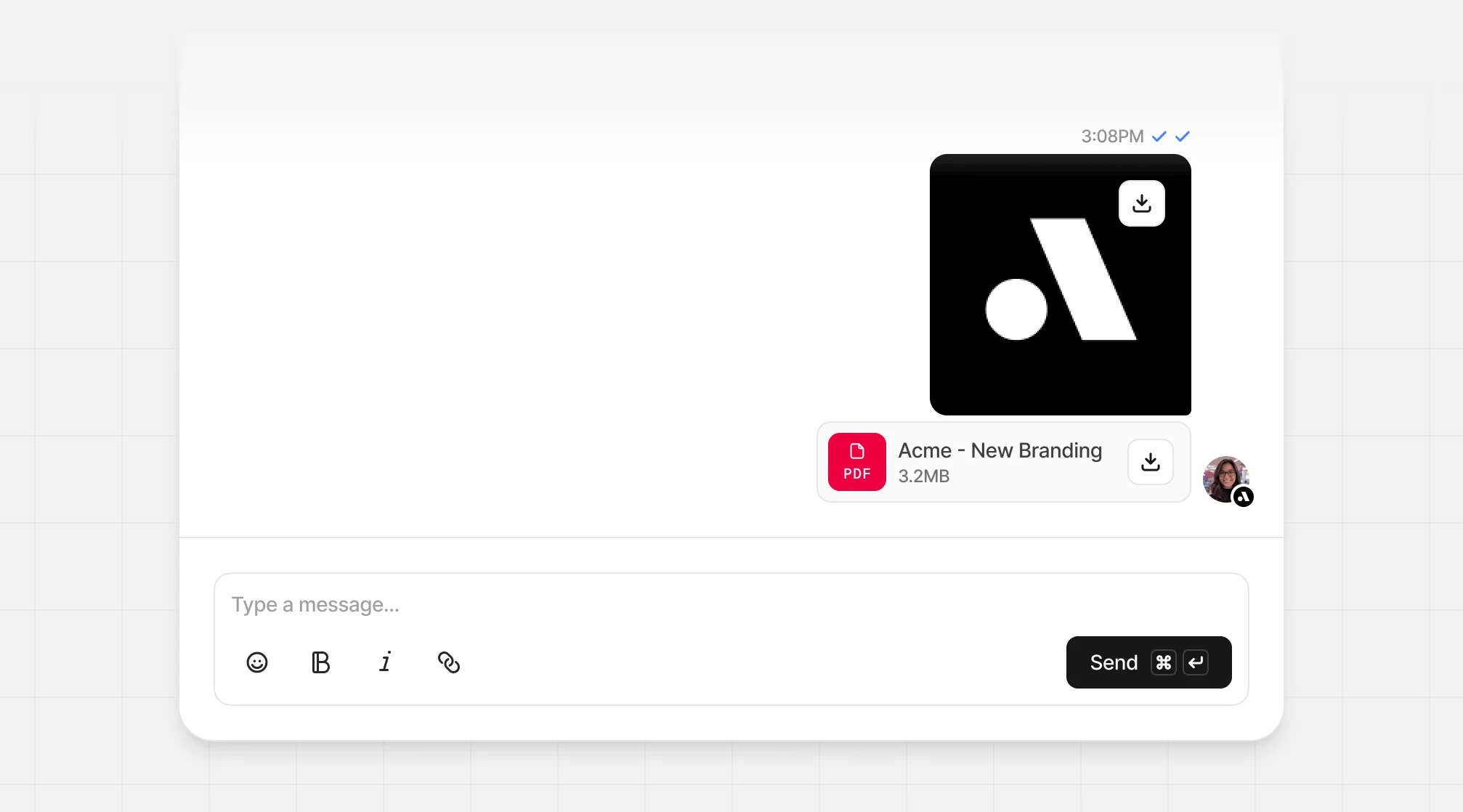
Each message sent has a check mark next to the send time:
* **Single check mark** – delivered
* **Double check marks** – delivered and read
(either in email or in the app)
### Details panel
The details panel is collapsible and shows partner information and performance stats. You can also change their program group here.
### Message status
Each message sent has a check mark next to the send time:
* **Single check mark** – delivered
* **Double check marks** – delivered and read
(either in email or in the app)
### Details panel
The details panel is collapsible and shows partner information and performance stats. You can also change their program group here.
 ## Disabling messaging
If you prefer to handle support outside Dub, you can disable partner messaging.
To disable messaging, head to your program **Resources** and in the **Help and Support** section, click the switch to off to disable partner messaging.
## Disabling messaging
If you prefer to handle support outside Dub, you can disable partner messaging.
To disable messaging, head to your program **Resources** and in the **Help and Support** section, click the switch to off to disable partner messaging.
 When messaging is disabled, partners who try to message you will see your support email address instead: