Learn how to create your first short link on Dub and start tracking your links.
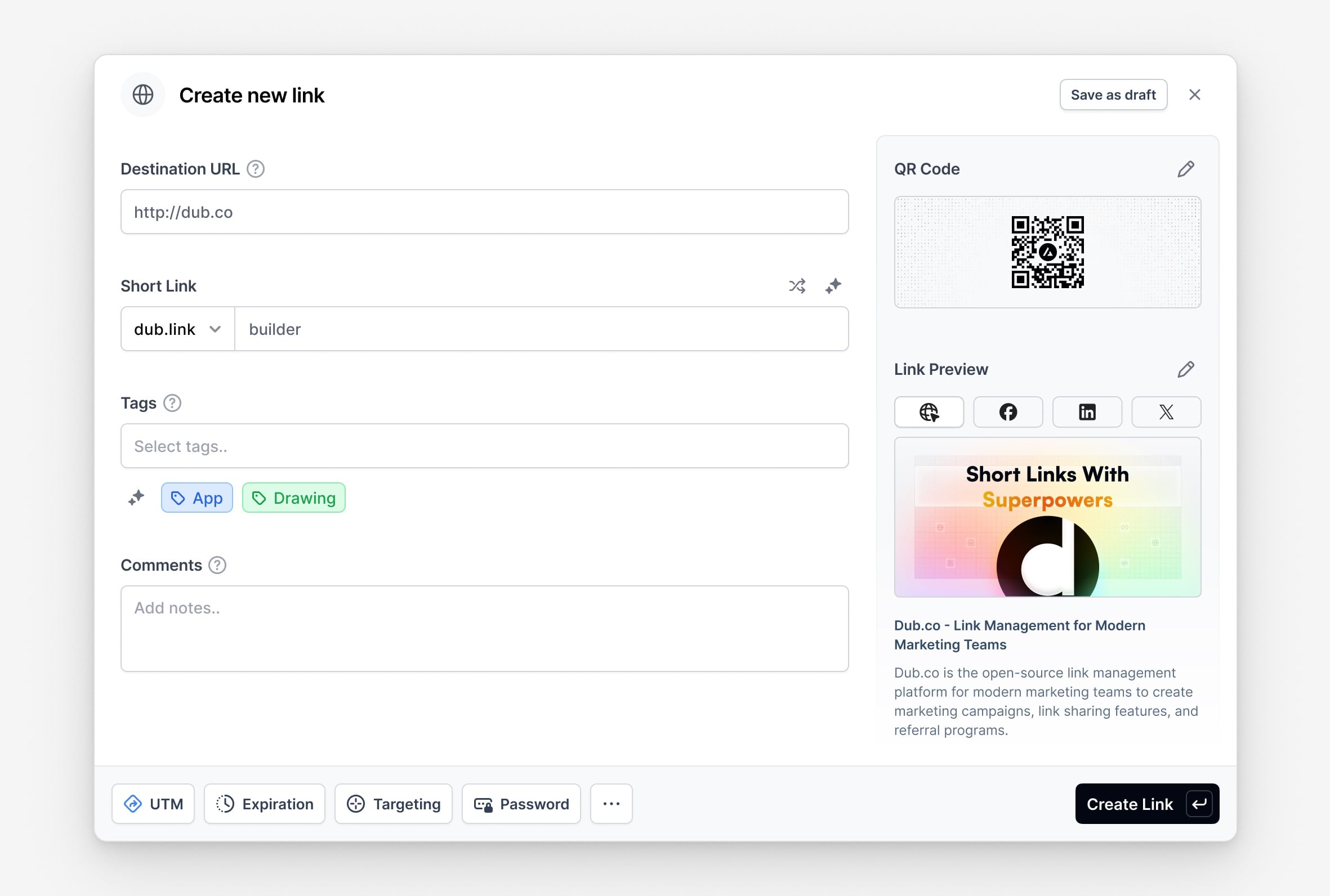
Dub’s link builder comes with powerful features like UTM builder, device targeting, password protection, expiration dates, and more.Dub is also the only link management platform that lets you customize the social media cards for your links, so you can have full control over how your links look when shared on social media.In this article, we will take a look at how you can leverage these features to create your first short link on Dub.
There are 3 ways to open the Dub link builder to create a short link:
Slowest: Click on the “Create link” button on the dashboard.
Faster: Use the keyboard shortcut c to open the link builder.
Fastest: Just paste in a valid URL into the dashboard. This will automatically open the link builder and pre-fill the URL field.
As you can see, the link builder also gives you a preview of your short link on social media platforms like X (formerly Twitter), Facebook, and LinkedIn.
Enter your destination URL in the “Destination URL” field. You can enter the URL with or without the https:// protocol – behind the scenes, Dub will automatically make sure it’s formatted correctly.
Step 4: Customize your link previews (recommended)
You can also set custom link previews for your short link to control how your links look when shared on social media platforms like X (formerly Twitter), LinkedIn, Slack, Telegram, iMessage, and more.
You can also use AI to generate custom link previews for your links. Learn more.
Optionally, you can add tags to your short link to help organize your links and make them easier to find.
You can also filter your analytics by tags, which allows you to create powerful campaign-specific reports for your links.That’s it! You’ve just created your first short link on Dub.
Can I edit the destination URL of my link after it’s created?
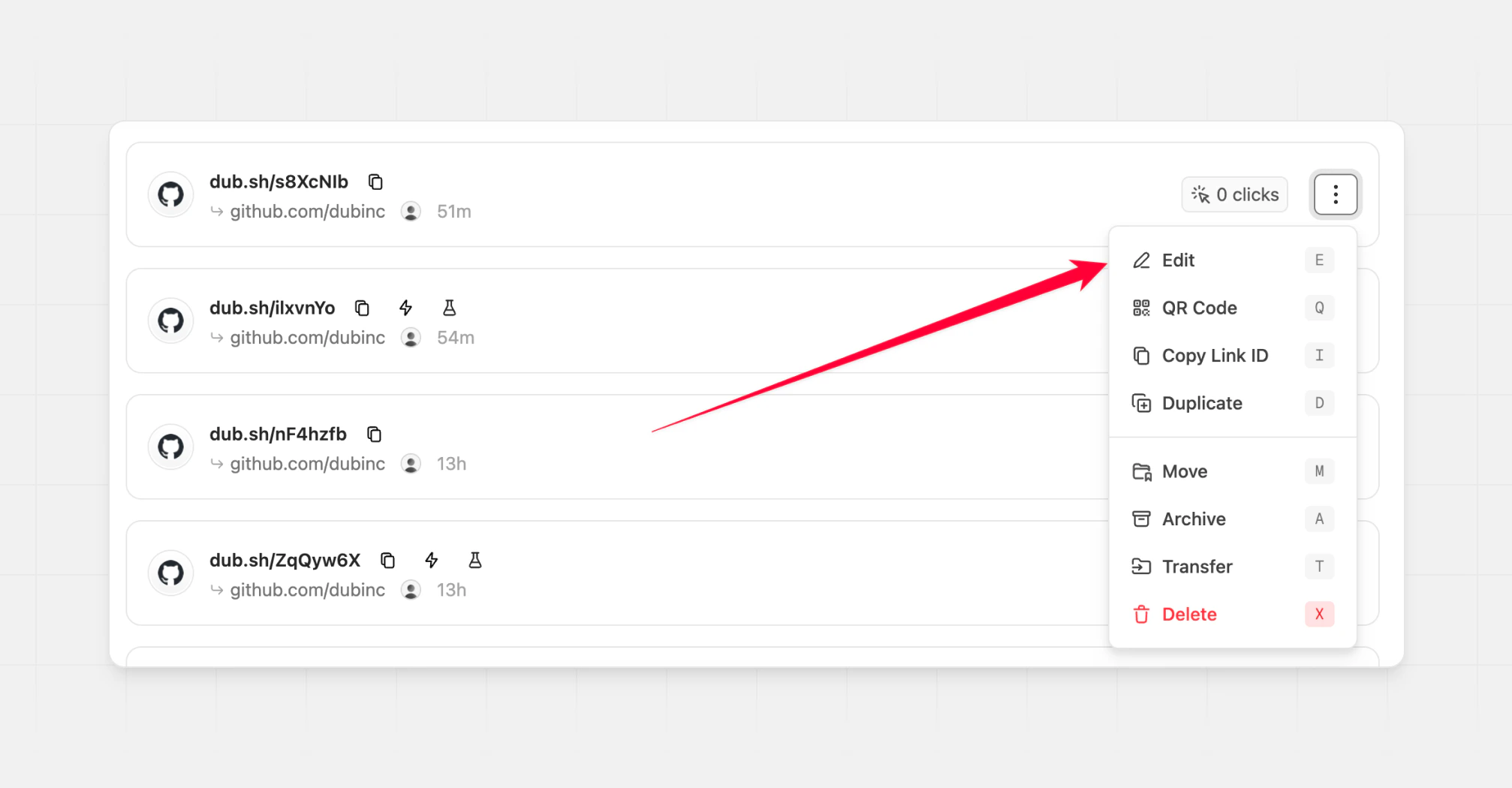
Yes, you can edit the destination URL of your link after it’s created. To do so, click on the ⋮ button next to the link in the links list and select “Edit link”.
This will open the individual link settings page, where you can edit the destination URL and save the changes.Unlike other link platforms like Bitly where you need to pay a whopping $1 every time you want to update the destination URL of a short link, you can edit the destination URL of your link on Dub for free – for as many times as you want.